Object storage
Overview
Object storage is large-capacity storage that exposes an S3-compatible API. It is used for dataset storage, checkpoint backups, and sharing data between VMs.
The S3 endpoint differs by zone. Use the endpoint that matches your environment.
| Zone | S3 endpoint |
|---|---|
| Commercial zone | https://s3.elice.cloud |
| Public zone | https://s3.gov.elice.cloud |
The examples below use the commercial zone; public zone users should replace it with https://s3.gov.elice.cloud.
Creating a bucket and a user
- Go to Object Storage > Buckets and click Create Bucket.
- Under Object Storage > User, click Create User.
- Key Generation Method:
Auto Generate (Recommended)orManual Input - For manual entry, the access key must be at least 20 alphanumeric characters and the secret key at least 40
- Key Generation Method:
- Save the following immediately from the Connection Information screen shown after the user is created.
- Access Key
- Secret Key
- On the Bucket permissions tab of the user detail page, click Add Grant and choose the bucket and permission (Read Only or Read/Write). You can do the same from the User permissions tab of the bucket detail page.
On either tab, change a granted permission with Edit Permission in the row menu, and revoke it with Delete Grant.
The secret key is masked on the user detail page, but you can unmask it any time with the toggle. Once leaked, it gives full access to whoever has it, so keep it somewhere safe (secret manager, env file, etc.) and never share it. Keys cannot be changed after creation, so if you suspect a leak, delete the user, create a new one, and grant the permissions again.
Checking bucket usage
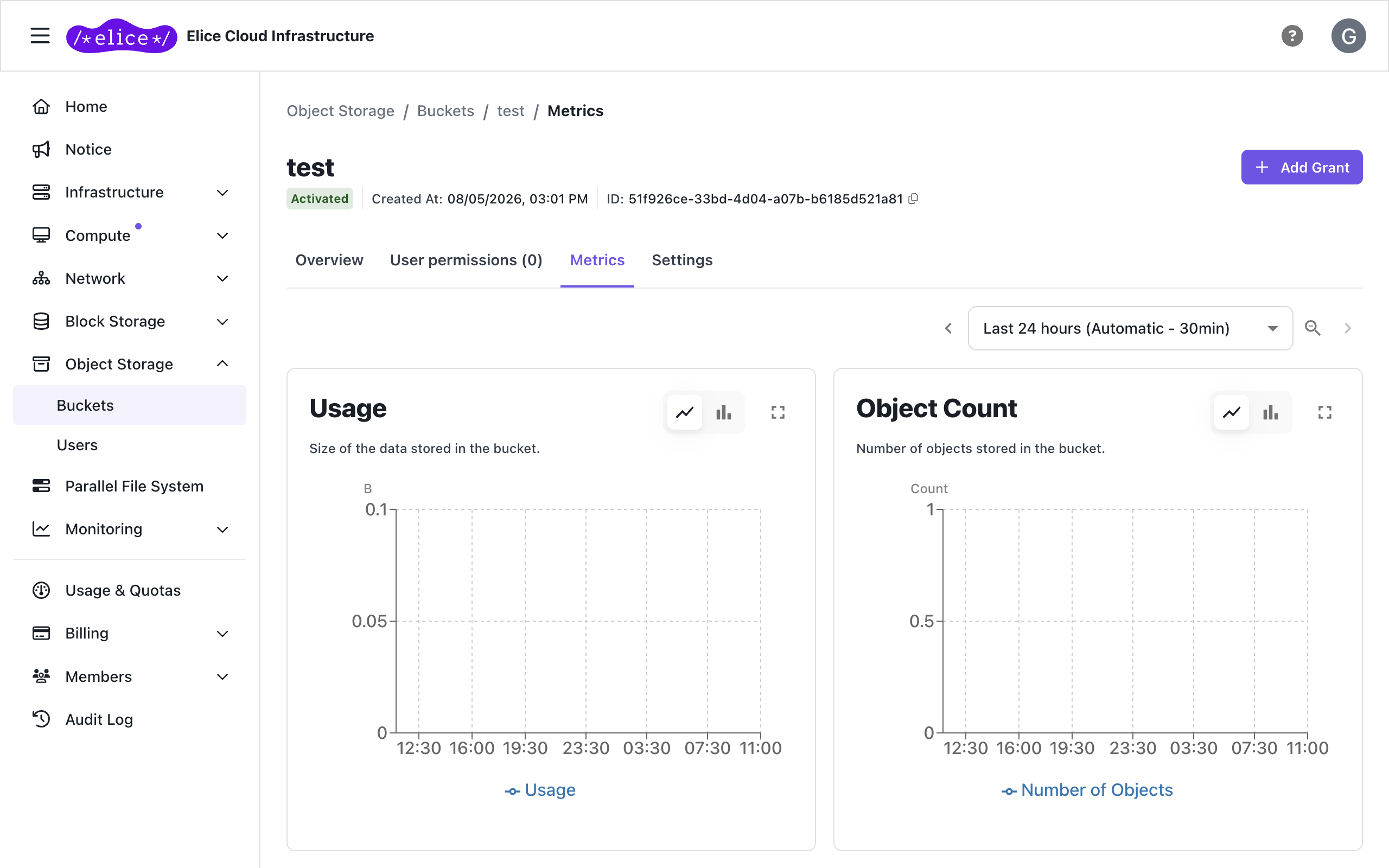
The Metrics tab on the bucket detail page charts usage for each bucket.
| Chart | Description |
|---|---|
| Usage | Size of the data stored in the bucket |
| Object Count | Number of objects stored in the bucket |
| Requests | Cumulative number of S3 API requests by operation type |
| Multipart Uploads | Cumulative number of multipart uploads initiated and completed |
Rename, resize, or delete the bucket on the Settings tab of the same page. A bucket that still has user permissions cannot be deleted, so delete the permissions first.
aws-cli integration
Install
# Linux
curl "https://awscli.amazonaws.com/awscli-exe-linux-x86_64.zip" -o "awscliv2.zip"
unzip awscliv2.zip && sudo ./aws/install
Configure credentials
aws configure
# AWS Access Key ID: YOUR_ACCESS_KEY
# AWS Secret Access Key: YOUR_SECRET_KEY
# Default region name: (Enter)
# Default output format: (Enter)
Add the endpoint to ~/.aws/config:
[default]
services = s3

[services s3]
# public zone: endpoint_url = https://s3.gov.elice.cloud
s3 =
    endpoint_url = https://s3.elice.cloud
Common commands
# Upload a file
aws s3 cp ./dataset.tar.gz s3://YOUR_BUCKET/dataset.tar.gz

# Upload a directory
aws s3 sync ./checkpoints s3://YOUR_BUCKET/checkpoints

# List
aws s3 ls s3://YOUR_BUCKET/

# Download
aws s3 cp s3://YOUR_BUCKET/dataset.tar.gz ./
rclone integration
Install
sudo -v ; curl https://rclone.org/install.sh | sudo bash
Configure
rclone config
# n) New remote
# name> elicecloud
# Storage> 4  (Amazon S3)
# provider> 4  (AWS)
# env_auth> (Enter)
# access_key_id> YOUR_ACCESS_KEY
# secret_access_key> YOUR_SECRET_KEY
# region> (Enter)
# endpoint> https://s3.elice.cloud  (public zone: https://s3.gov.elice.cloud)
# Press Enter for everything else
Common commands
# Upload
rclone copy ./dataset elicecloud:YOUR_BUCKET/dataset --s3-no-check-bucket --progress

# Download
rclone copy elicecloud:YOUR_BUCKET/dataset ./dataset --s3-no-check-bucket --progress

# Sync (files missing in source are deleted from destination)
rclone sync ./checkpoints elicecloud:YOUR_BUCKET/checkpoints --s3-no-check-bucket --dry-run
rclone sync ./checkpoints elicecloud:YOUR_BUCKET/checkpoints --s3-no-check-bucket

# Usage
rclone size elicecloud:YOUR_BUCKET
--s3-no-check-bucket is requiredECI object storage does not support bucket creation through the API. When using rclone, always pass --s3-no-check-bucket.
Mounting a bucket as a directory (rclone mount)
You can mount object storage as a local directory.
mkdir -p /mnt/object-storage

# Mount in the background
rclone mount elicecloud:YOUR_BUCKET /mnt/object-storage --daemon

# Unmount
umount /mnt/object-storage
- Network latency makes it slower than a local disk.
- The capacity shown by
df -his a synthetic value, not actual usage. Check actual usage withrclone size. - Single files larger than 48 GiB need
--s3-chunk-size=128M.
Next steps
- Parallel file system: shared storage for multi-node distributed training
- Block storage: persistent disks attached directly to a VM