Parallel file system (PFS)
Overview
The parallel file system (PFS) is a high-performance shared storage that multiple VMs can read and write at the same time. It is provided on VAST NFS, and is used for checkpoint and log sharing in multi-node distributed training.
PFS is a POSIX filesystem, so you can use it with existing code unchanged. Object storage requires API calls.
Prerequisites
- Under the left-menu Parallel File System page, click Create Parallel File System to create a PFS.
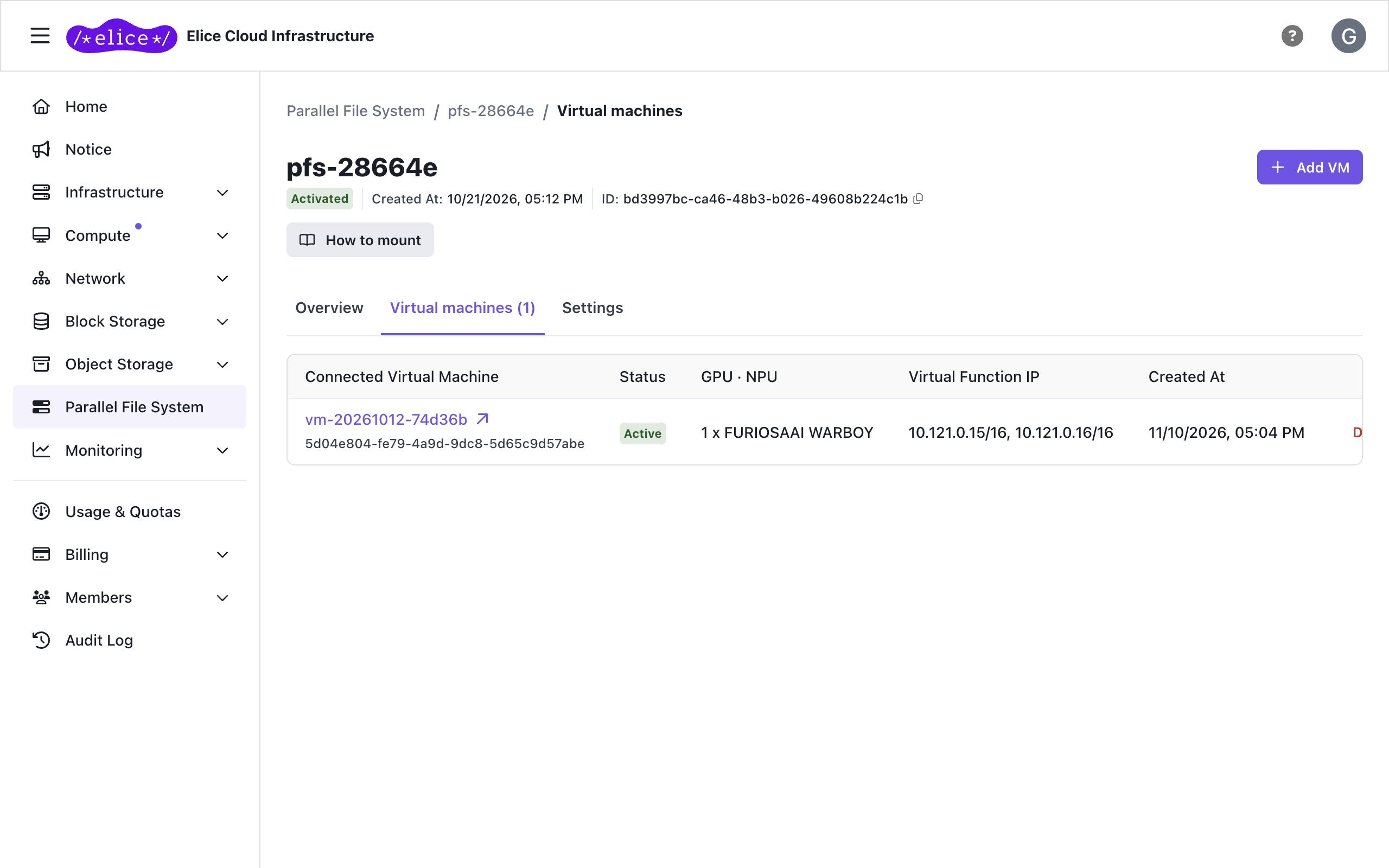
- On the Virtual machines tab of the PFS detail page, click Add VM to register VMs as members. Two options are supported: Add from Cluster or Add Individual VM.
- Note the following values from the PFS detail page. VIP Addresses is on the Overview tab, and Virtual Function IP is in the member list on the Virtual machines tab.
| Item | Description | Example |
|---|---|---|
| VIP Addresses | PFS server access IP range (vip_pools) | 10.121.255.247–10.121.255.254 |
| Virtual Function IP | Per-member-VM dedicated access IP | 10.121.0.1/16, 10.121.0.2/16 |
A VM attached to a PFS cannot be deleted directly and some fields cannot be edited (you'll see parallelFileSystemMemberExist). Remove it from the members on the Virtual machines tab of the PFS detail page first, then delete the VM. The PFS itself is deleted at the bottom of the Settings tab, and cannot be deleted while VMs remain attached.
Step 1: Check the vastnfs driver status
Run the command below to check that the vastnfs driver is working.
vastnfs-ctl status
If the output looks like the example below, skip to Step 2.
version: 4.5.5-vastdata-OFED-internal-26.01-1.0.0
kernel modules: sunrpc
services: rpcbind.socket rpcbind
rpc_pipefs: /run/rpc_pipefs
patched version not running
Reinstall the driver, then proceed to Step 2: Mount.
Step 2: Mount
Before running the commands below, look up the What, nconnect, and remoteports values on the parallel file system detail page.
- For
What=, use the first IP in the VIP range. - For
nconnect=, use the number of VIP addresses. - For
remoteports=, use the full VIP address range.
sudo tee /etc/systemd/system/mnt-pfs.mount >/dev/null <<'EOF'
[Unit]
Description=Mount VAST NFS PFS
After=network-online.target
Wants=network-online.target

[Mount]
What=10.121.255.247:/
Where=/mnt/pfs
Type=nfs
Options=vers=3,nconnect=8,noatime,remoteports=10.121.255.247-10.121.255.254,_netdev

[Install]
WantedBy=multi-user.target
EOF
Then create the mount directory and activate the unit.
sudo mkdir -p /mnt/pfs
sudo systemctl daemon-reload
sudo systemctl enable --now mnt-pfs.mount
Verify the mount
df -h | grep pfs
# /mnt/pfs in the output means it's mounted
Next steps
- Object storage: S3-compatible storage for large datasets
- Virtual cluster: InfiniBand multi-node training