Subject Attendance Sheet
-
In the institution management > settings > basic information tab, activate the subject attendance sheet.
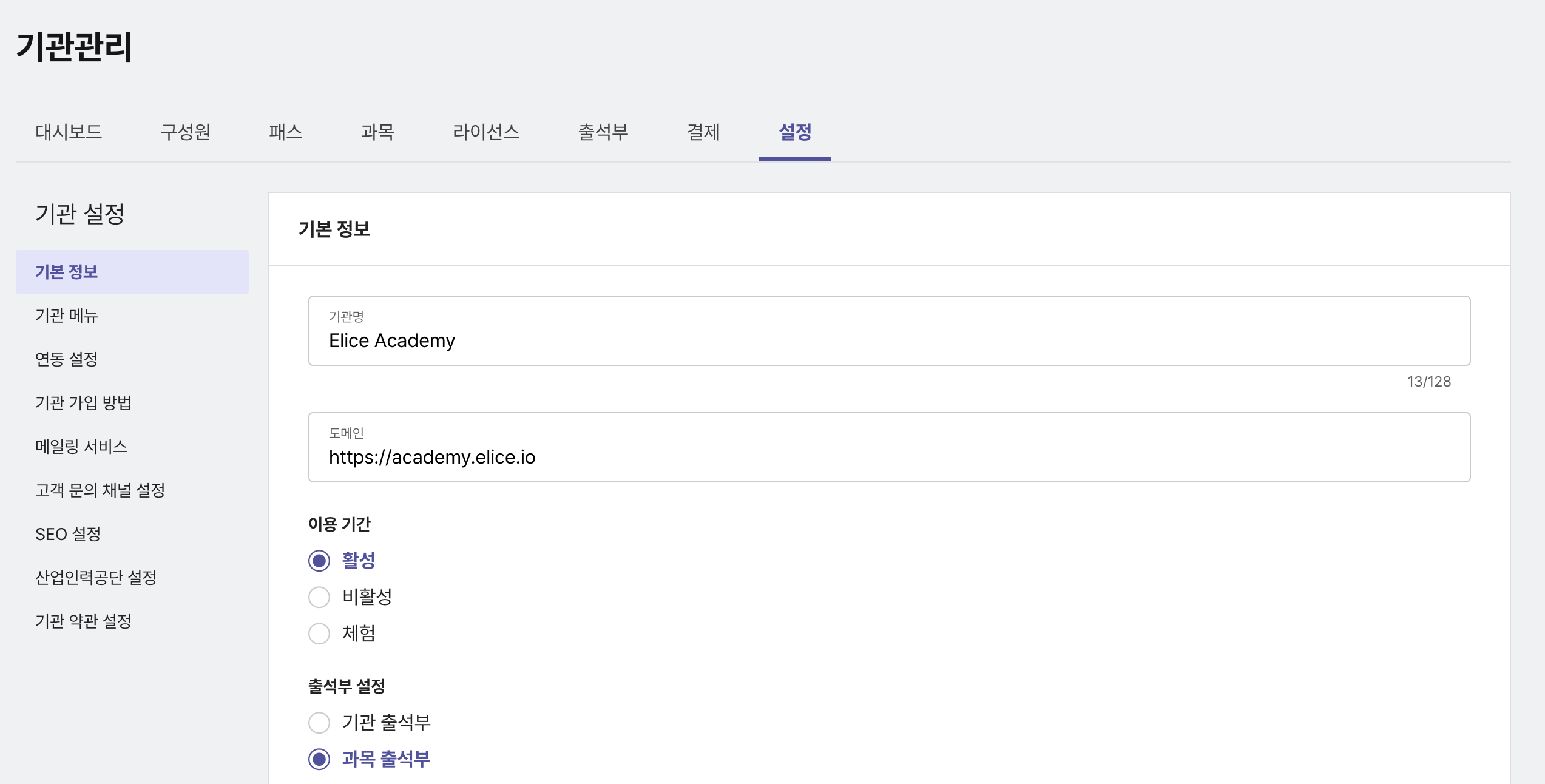
-
In the settings for the subject where you want to use the attendance sheet > features tab, activate the attendance sheet feature.
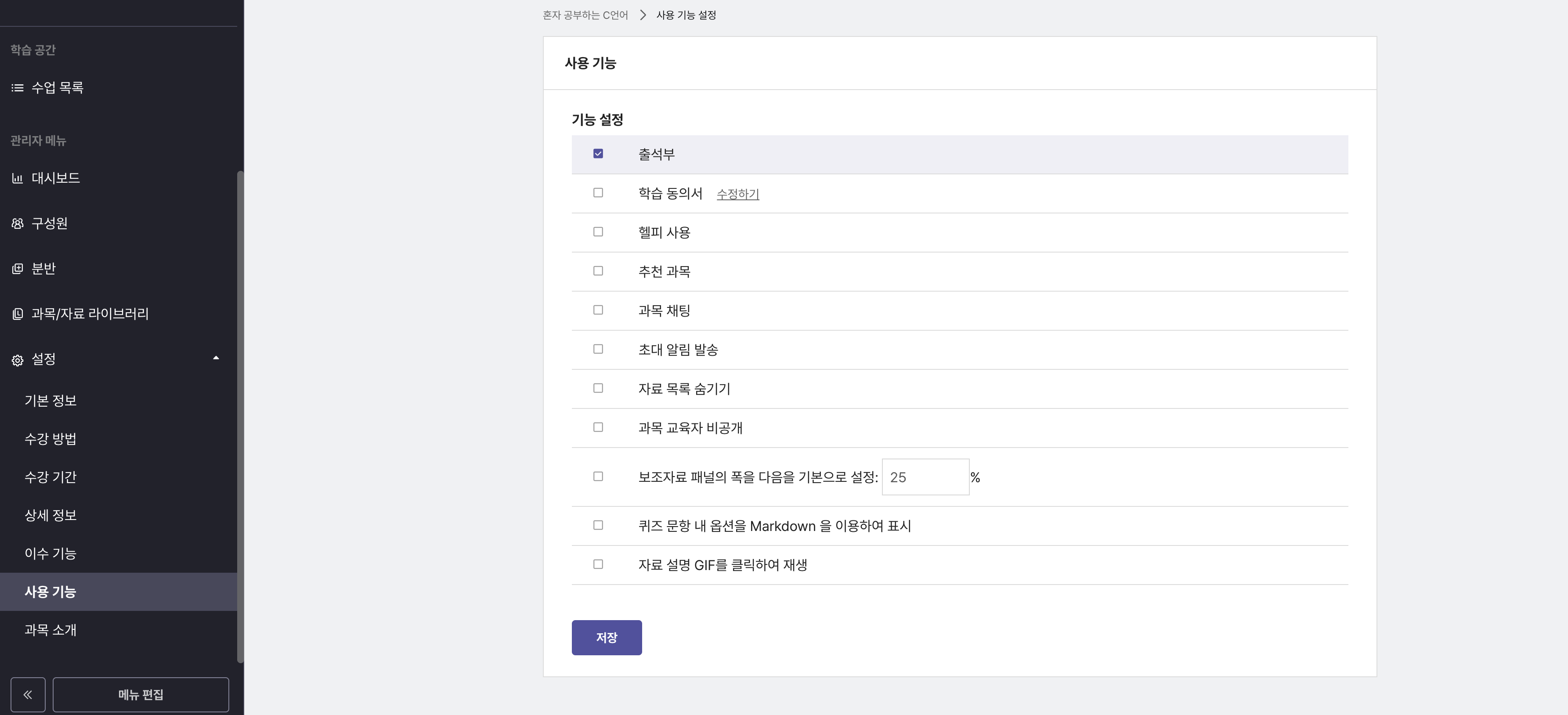
-
Click the attendance management > detailed settings button to configure the attendance sheet.
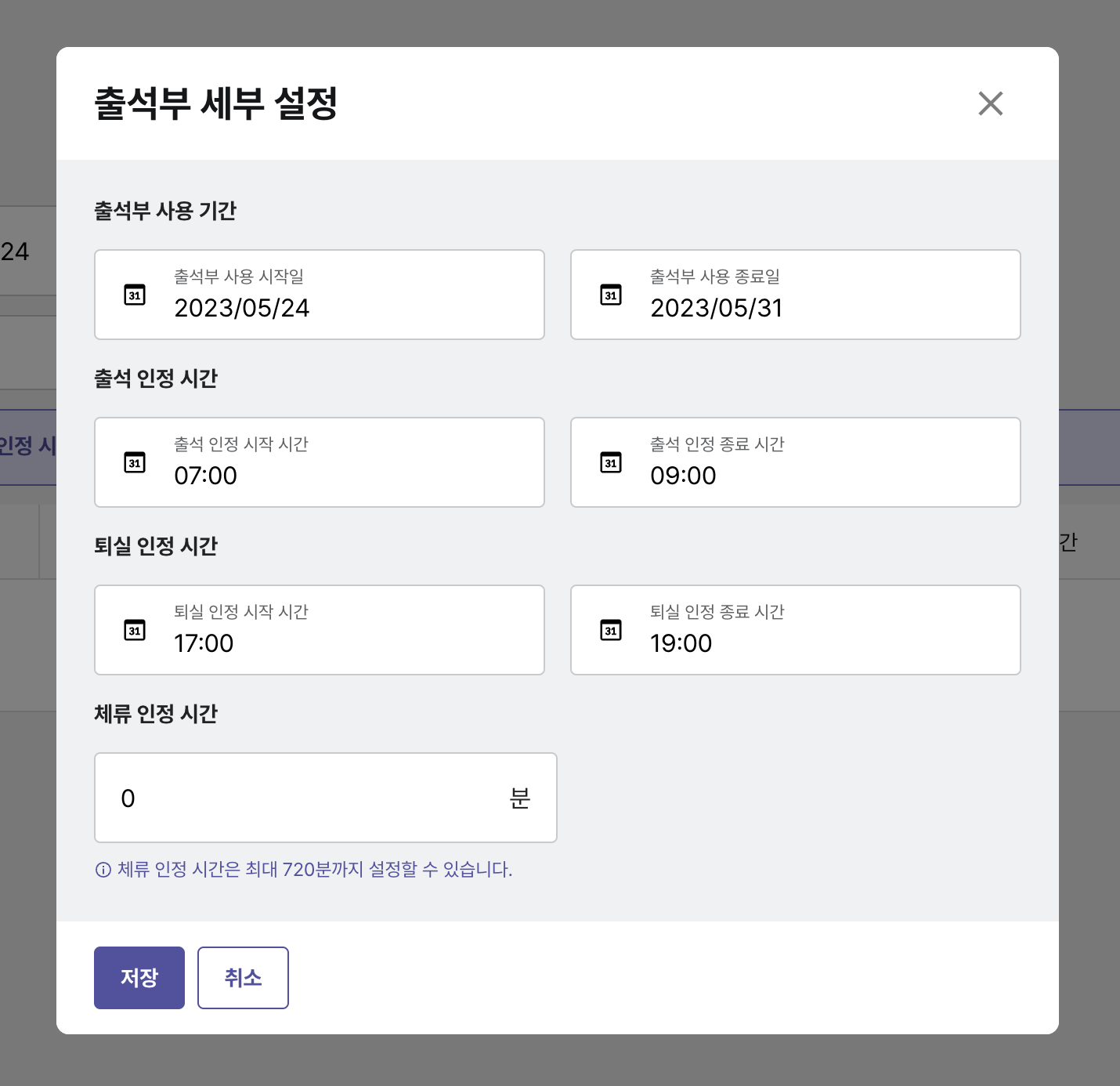
Attendance Sheet Usage Period
Set the period during which the attendance sheet can be used. Once the set period expires, the attendance sheet will no longer be accessible.
Attendance Recognition Time
Set the start and end times for recognizing attendance when a member checks in. Attendance will not be recognized if the check-in occurs outside the set times.
Departure Recognition Time
Set the start and end times for recognizing departure when a member checks out. Departure will not be recognized if the check-out occurs outside the set times.
Stay Recognition Time
Set the duration a member must stay in the course for learning to be recognized. Attendance will not be recognized if the required stay time is not met.