Virtual network
Overview
A virtual network is the private network that VMs belong to. The IP range is defined by a CIDR block, and VMs in the same virtual network can talk to each other over private IPs.
Creating a virtual network
-
Under Network > Virtual Network, click Create Virtual Network.
-
Configure the following:
Field Description Example Virtual Network Name An identifying name prod-vnetNetwork CIDR IP range (must be inside 172.16.0.0/14or192.168.0.0/16)192.168.0.0/16 -
Click Create.
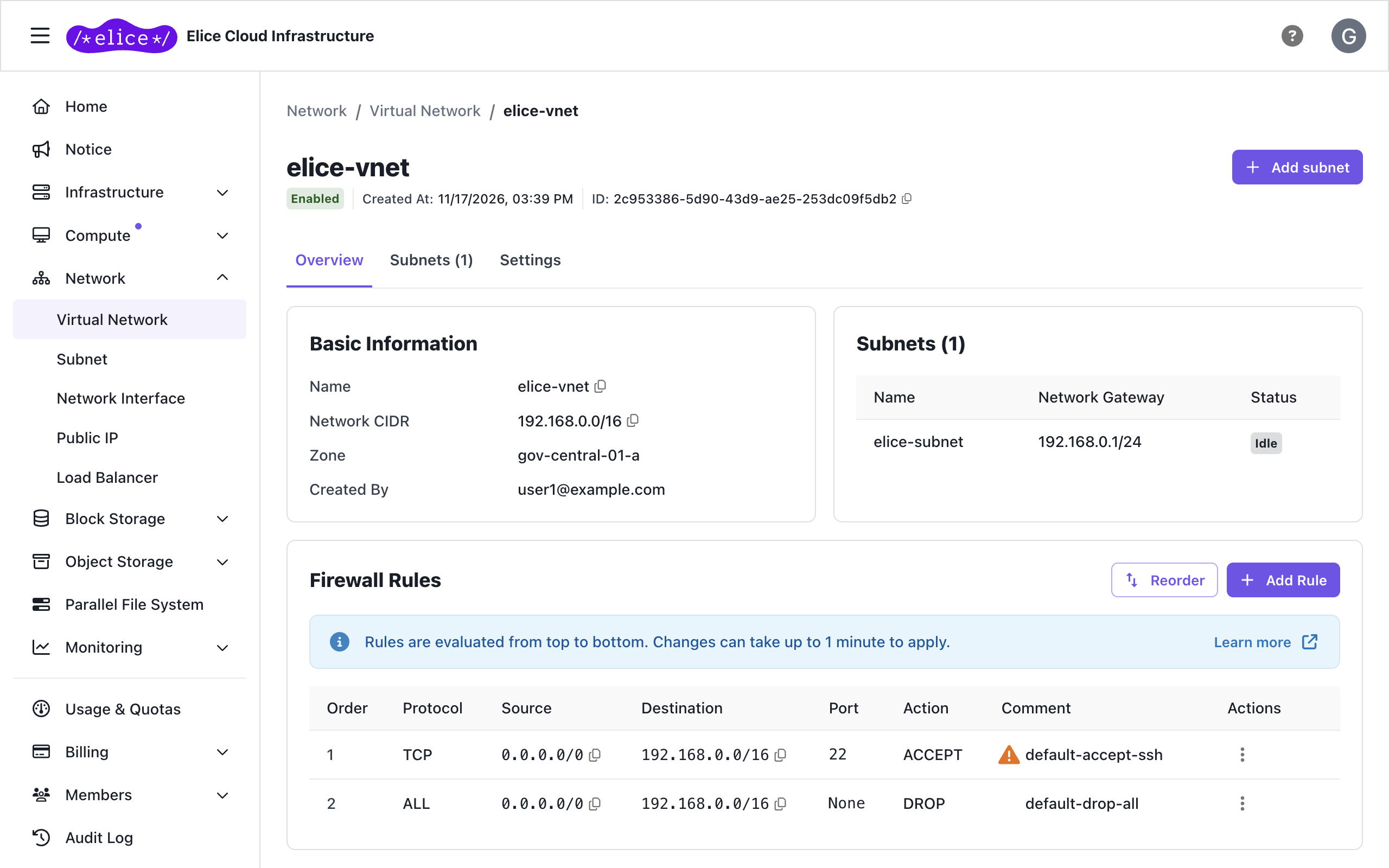
For security, two rules are applied automatically: allow inbound SSH (TCP 22) from all IP addresses, and block all other inbound traffic. Outbound traffic (virtual machine → internet) is unaffected. See Firewall rules for details.
- ECI only allows CIDRs inside
172.16.0.0/14(172.16.0.0–172.19.255.255) or192.168.0.0/16(RESOURCE_SUBNET_ALLOWED_NETWORK_CIDRS). - If you plan to create many VMs, size up to
/16(65,534 IPs). - After creation, CIDR and zone cannot be changed (editable: name, tags, firewall rules).
Managing virtual networks
Click a virtual network in the Network > Virtual Network list to open its detail page. The detail page has three tabs.
| Tab | Contents |
|---|---|
| Overview | Basic information such as name and CIDR, plus firewall rules |
| Subnets | Subnets in this virtual network. Create one right there with Add subnet |
| Settings | Rename or delete the virtual network |
Delete from the bottom of the Settings tab. A virtual network cannot be deleted while subnets remain attached, and deleting it also deletes its firewall rules.
Next steps
- Subnet: carving out an IP range inside a virtual network