Autoscaling
Autoscaling means automatically increasing or decreasing the number of instances based on defined rules. For example, you can add 2 instances when an API receives more than 1,000 requests within an hour.
When autoscaling is enabled, the Autoscaling tab appears on the endpoint management screen.
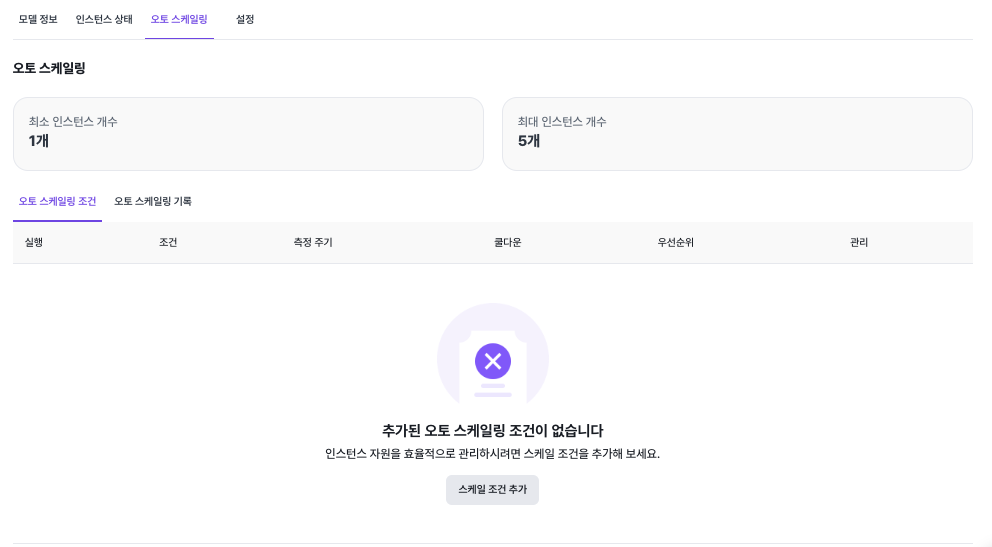
Adding a Scale Condition
Click Add Scale Condition to create a new autoscaling rule.
Scale Condition
The available fields are described below.
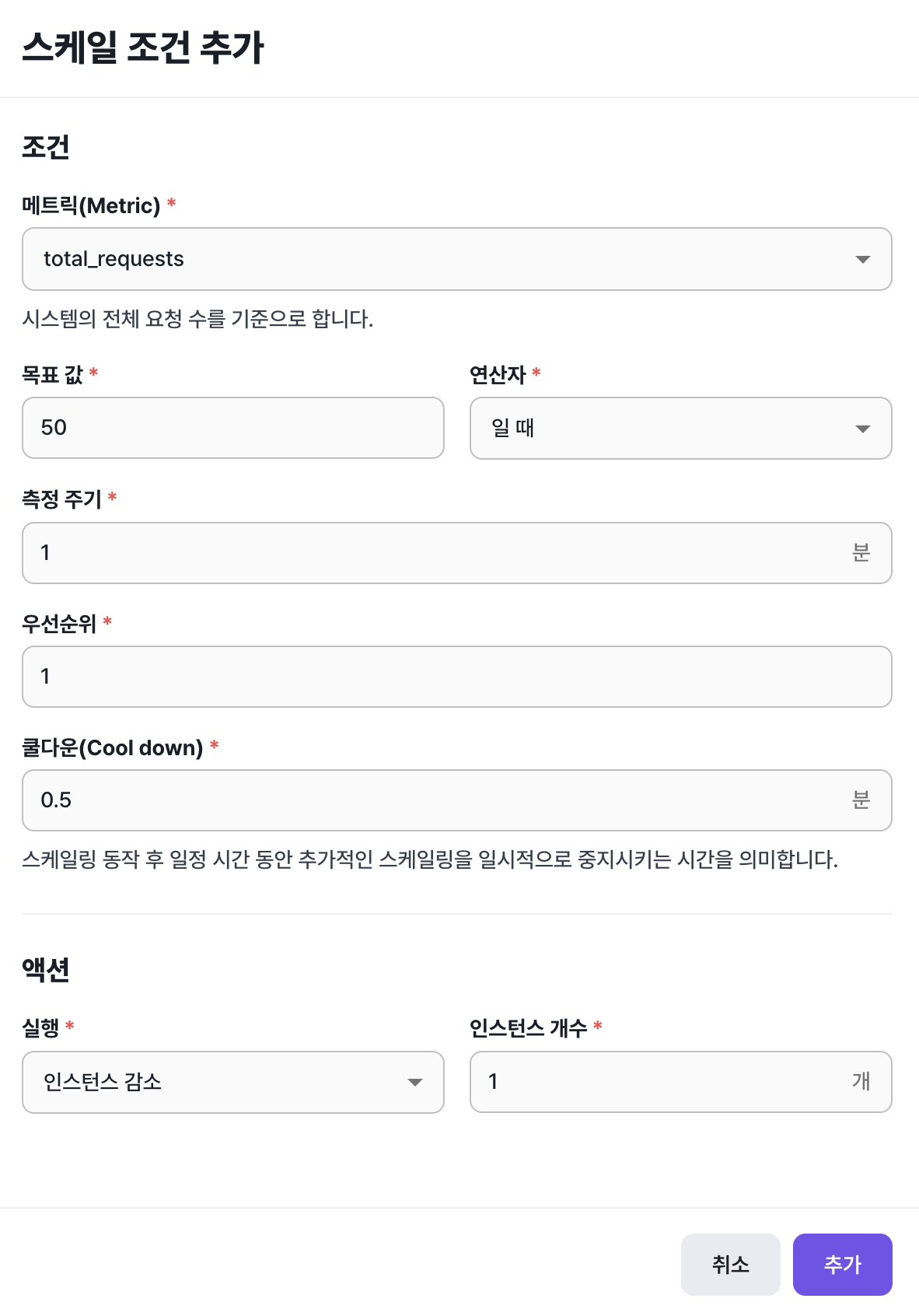
- Metric
- The metric used to decide whether to scale instances up or down.
- You can pick total requests (
total_requests), requests per second (requests_per_sec), request latency (latency_ms), and similar metrics.
- Target value and operator
- Compare the metric value against a target using an operator.
- For example, for the
total_requestsmetric you can choose "greater than or equal to" with a target value of "50".
- Measurement window
- The period over which the metric value is collected.
- For example, with
total_requestsand a 10-minute window, the rule counts all requests in the last 10 minutes.
- Cooldown
- The amount of time after a scaling action during which further scaling is suppressed.
- Use this to keep autoscaling from triggering too frequently.
- Action
- The action to perform — for example, scaling instances up or down.
- For example, setting "decrease instances" by "1" decreases the instance count by 1 whenever the metric condition is met.
Autoscaling History
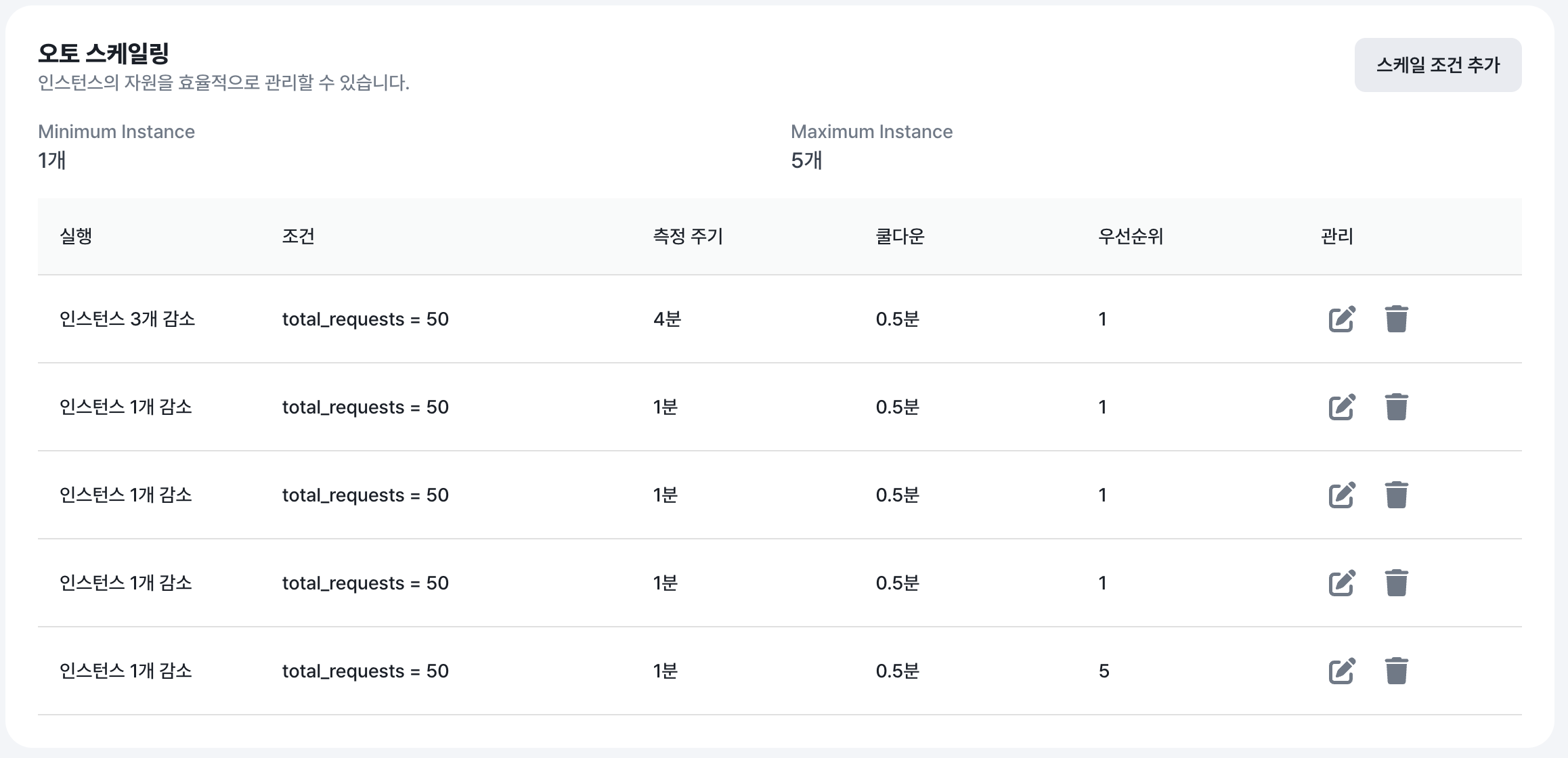
A record of times the autoscaling conditions you defined were triggered. Use this to see when each condition fired.