Using Models in Dedicated Mode
Dedicated mode deploys a model to a dedicated instance. The instance is reserved exclusively for the model, which makes it suitable for production environments that need stable performance.
Characteristics
- Model runs on a dedicated instance
- Stable performance
- Suited to long-running deployments and sustained traffic
- Billed by instance runtime
Creating a Dedicated Endpoint
You can create a Dedicated endpoint through either of the following flows.

- ML API → Go to Dedicated endpoints
- Click Create Endpoint
- Choose a model
- Enter an endpoint name
- Choose instance specs (CPU / GPU / NPU)
- Enable autoscaling or set a fixed instance count
- Configure API rate limit
- Endpoint creation complete
Or
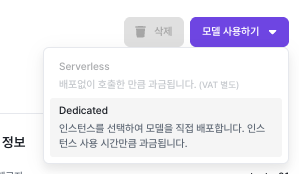
- ML API → Go to Model Library
- Choose a model that supports Dedicated
- Choose the model version policy
- Enter an endpoint name
- Choose instance specs (CPU / GPU / NPU)
- Enable autoscaling or set a fixed instance count
- Configure API rate limit
- Endpoint creation complete
For autoscaling, see the Autoscaling page.
📌 Note: You can run up to 20 instances.
📌 Note: API Rate Limit caps the number of API calls and can be set up to 1000. RPM is calls per minute, RPH is calls per hour, and PRD is calls per day.
Managing Dedicated Endpoints
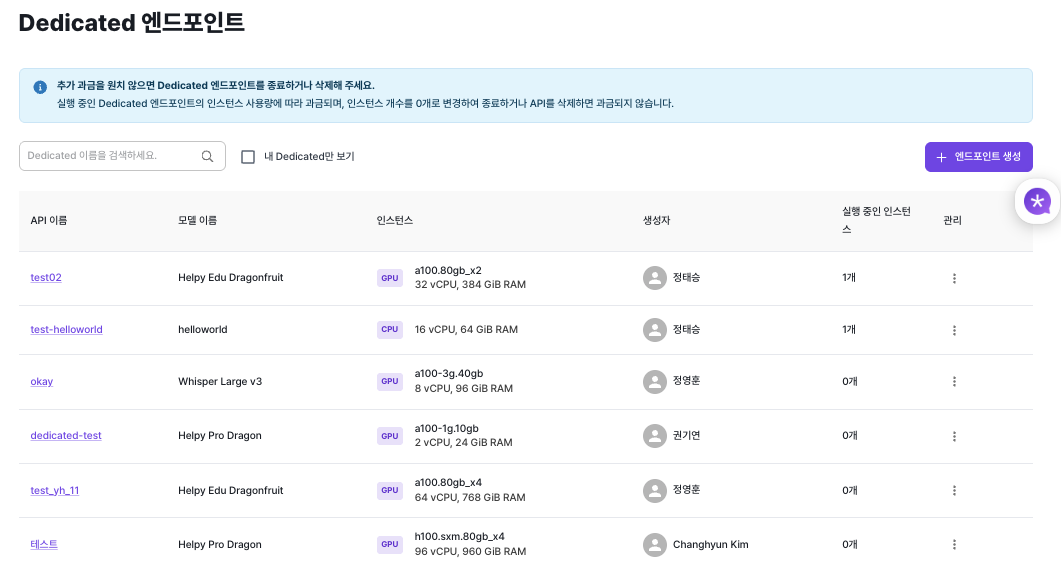
Dedicated endpoints you've created can be managed from the list.
What you can manage
- API name
- Model info
- Attached instance specs
- Creator
- Current number of running instances
Edit
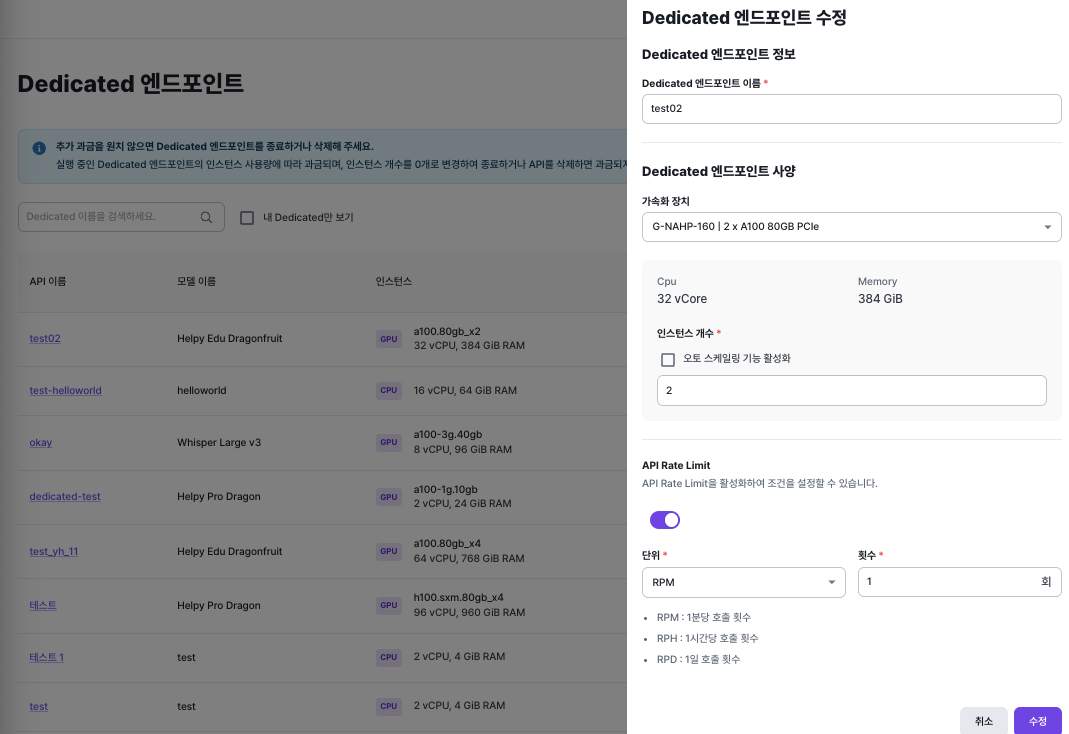
You can edit a Dedicated endpoint's name, specs, instance count, and so on.
📌 Note: Setting the instance count to 0 stops billing.
📌 Note: Instances managed by Dedicated endpoints are created and managed separately from Run Box instances; they are fully isolated resources.
Deleting and Cleanup
You can delete endpoints you no longer use.
- Deleting an endpoint terminates the runtime resources attached to it.
- Deleting an endpoint that is currently running also stops billing.
Calling a Dedicated Endpoint
Calls to a Dedicated endpoint require API key authentication. Include the API key in the request header.
⚠️ Note: When the Dedicated API instance is in
PendingorStoppedstate, the API cannot accept requests.
For API keys, see Managing API Keys.
For how to call deployed models, see API Requests.
Pricing
Dedicated mode is billed by instance runtime.
- Hourly rate depends on the selected instance specs
- Billing applies only while the instance is running